The best recommendation in the world does nothing sitting in a report. It has to reach the person who owns the fix, in the tool they check every day. Until now that meant copying a finding out of HiBot and pasting it into wherever your team tracks work, which is exactly the kind of friction that lets a good audit quietly go nowhere.
This month we closed that gap. Every HiBot report now has a send-to handoff. Pick a recommendation, or a whole roadmap milestone, and push it into the tools your team already lives in. Here is where it goes and why each destination earns its place in a real workflow.
From a Report to Assigned Work
An audit is a deliverable, and a deliverable is only finished when it is in someone's hands. The send-to handoff is about that last step, the one between knowing what to fix and getting it assigned. It is the feature that turns HiBot from a diagnosis into a project your team actually runs.
Straight Into Asana, Trello, and Jira
Connect your workspace once and a recommendation becomes a task where the work actually happens. HiBot supports Asana, Trello, and Jira, with the connection handled through each tool's own secure sign-in, so your credentials never touch us. The task arrives with the context from the report attached, so whoever picks it up sees the problem and the evidence, not just a title with no backstory.
Why it matters: SEO and content fixes live in project trackers, not in PDFs. Sending a recommendation directly into the backlog means it gets sprint-planned, assigned, and closed like any other piece of work.
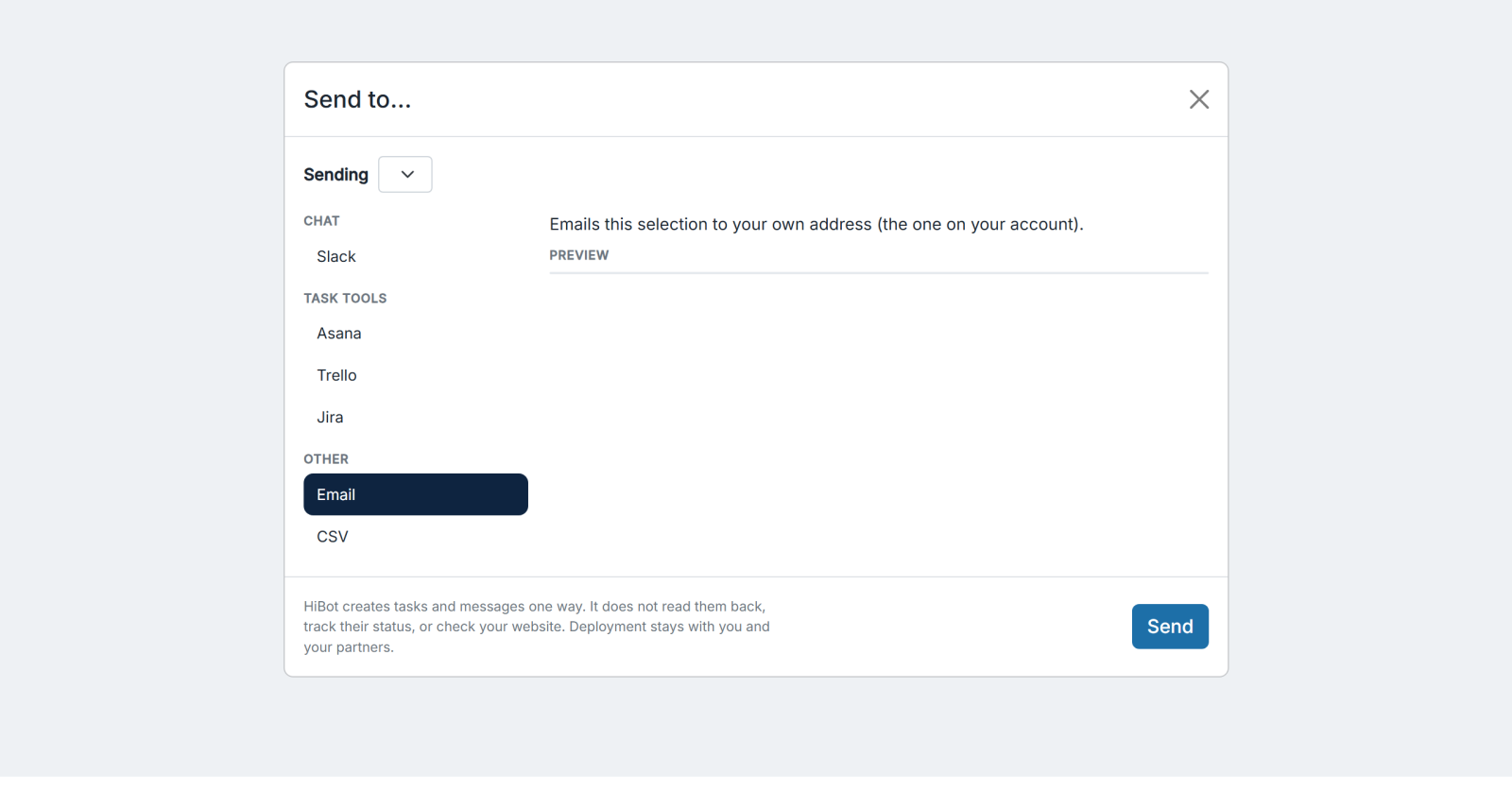
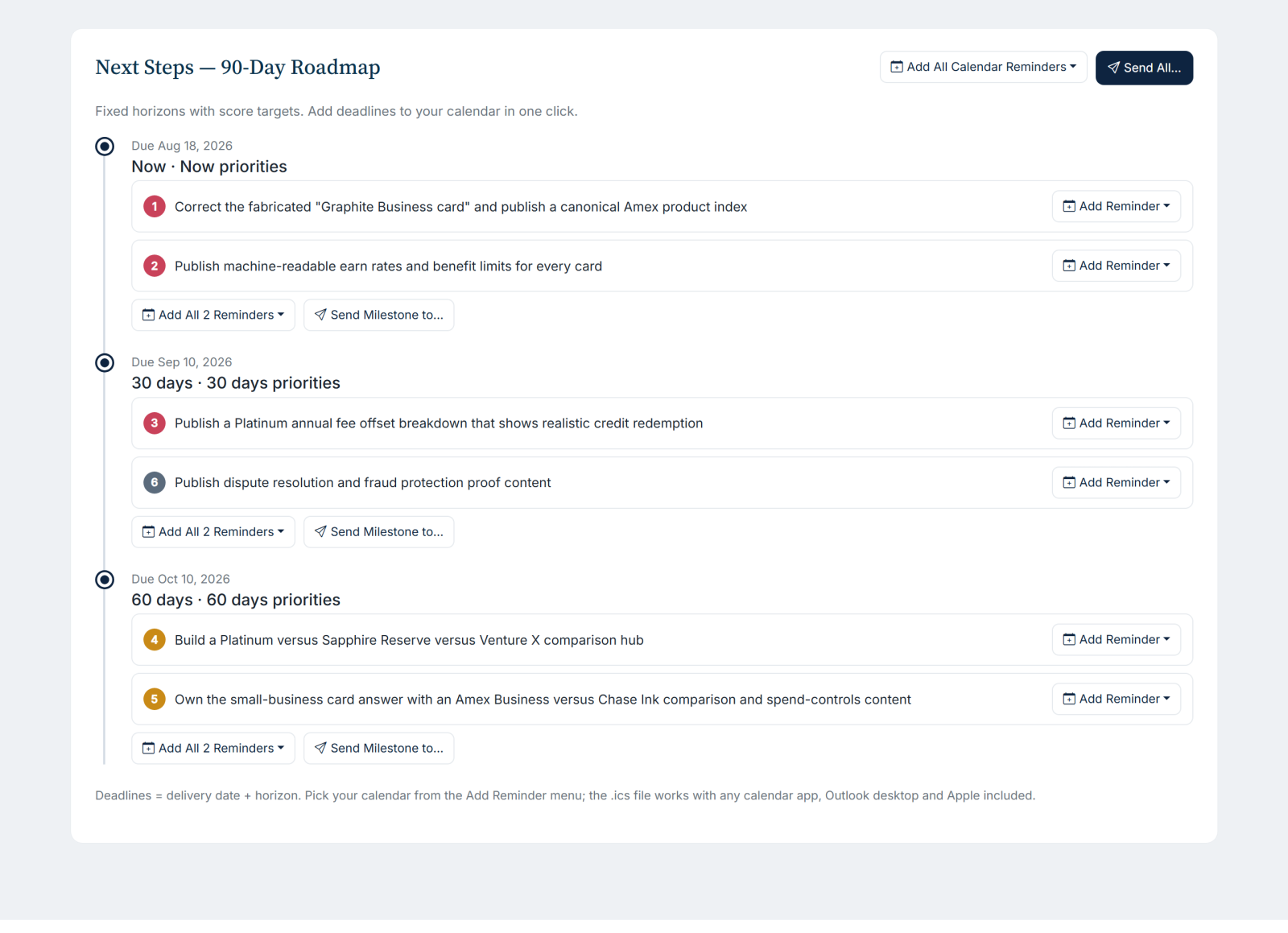
Shown above and below: from the American Express case study audit report.
Into the Slack Channel Where You Talk
You can post a finding to Slack, so the team sees it in the flow of a channel rather than in an email nobody opens. Connect Slack through its standard authorization, choose a channel, and send. It is the fastest way to turn "AI keeps recommending our competitor on this exact question" into a conversation the same afternoon.
Onto the Calendar, or Out as a File
The 90-day roadmap already drops milestones onto your calendar with one click. Send-to extends the same idea across the whole report. Push a deadline to your calendar provider so the fix has a date, export any set of recommendations as a CSV for your own tracking, or send a finding by email to a colleague who does not need a HiBot login. Whatever the destination, the point is the same: the audit leaves the browser and enters your workflow. See how calendar handoff works alongside the 90-day roadmap.
Managed From One Integrations Page
Your connections live on a single integrations page in your account. Connect a tool when you need it, see what is connected at a glance, and disconnect any time. If you try to send to a tool you have not connected yet, the report tells you plainly instead of failing quietly, so a handoff never disappears into the void.
Common Questions
Which tools can I send HiBot findings to?
Slack, Asana, Trello, and Jira, plus your calendar provider, a CSV export, and email. You can send a single recommendation or an entire roadmap milestone.
Is it safe to connect my project tools?
Yes. Each connection uses the tool's own secure sign-in, and you can disconnect any integration from your account at any time.
Do my teammates need HiBot logins?
No. Sending a finding to Slack, a project tracker, a calendar, or email means colleagues can act on it without a HiBot account of their own.
Every HiBot audit is built to be acted on, not just read. Browse the full report on the features page, or request an audit and send the findings straight to the tools your team already uses.