Two things shipped this month, and both come down to the same standard: an audit is only as good as it is honest. One makes sure HiBot measures the right market. The other makes sure a flagged error is a real one. Neither is flashy. Both are the kind of methodology detail that separates a measurement you can act on from a number you have to second-guess.
The Market You Measure Should Be the One Your Customers Ask In
If your customers ask AI in Slovak, an English audit measures the wrong market. Answer engines respond differently by language: they lean on different sources, name different brands, and phrase things the way locals do. A question translated word for word from English is not the question a local would actually type, so an English-only audit of a non-English market quietly measures the wrong thing.
Native Question Generation in 26 Languages
You now set your customer language once, and every question is generated natively in it, phrased the way people in that market really ask, not run through a translator after the fact. HiBot supports 26 languages today.
[SCREENSHOT] The same buying question generated natively across several languages (English, German, Slovak, Spanish, Japanese), shown side by side to illustrate native phrasing rather than translation.
See audits in your customer's language on the features page.
The Whole Audit Runs in That Language
Language is not just applied to the questions. The full audit runs in your customer's language from the first prompt to the final captured answer. Generation, capture, and scoring all happen in that language. The engines answer as they would for a real local customer, and only the report you read comes back in English, so your team can still act on it.
Locked Into Methodology, Like Geography
Language is locked into each run's methodology, the same way your target geography is. On a recurring series, every run uses the same language, so your trends still compare like for like across cycles. You are never comparing a Slovak run against an English one and mistaking a methodology change for a real move.
A Hallucination Log That Checks Itself Against Your Site
When an engine says something false about your brand, HiBot flags it during scoring. The risk with any such flag is the false positive: the engine claims you offer a "Pro Max" tier, but maybe you actually do. A log full of things that are not really wrong is worse than no log at all, because it trains you to ignore it.
How Verification Works
Every flagged claim is now checked against a fresh snapshot of your own website before it reaches your report. Three things can happen. If your site itself states the thing the engine said, the flag is withdrawn automatically. If your site contradicts it, the report cites the exact page that proves the error, so you can act with a receipt in hand. And if your site never addresses it either way, the claim is labeled precisely that, unverifiable, rather than presented with false confidence.
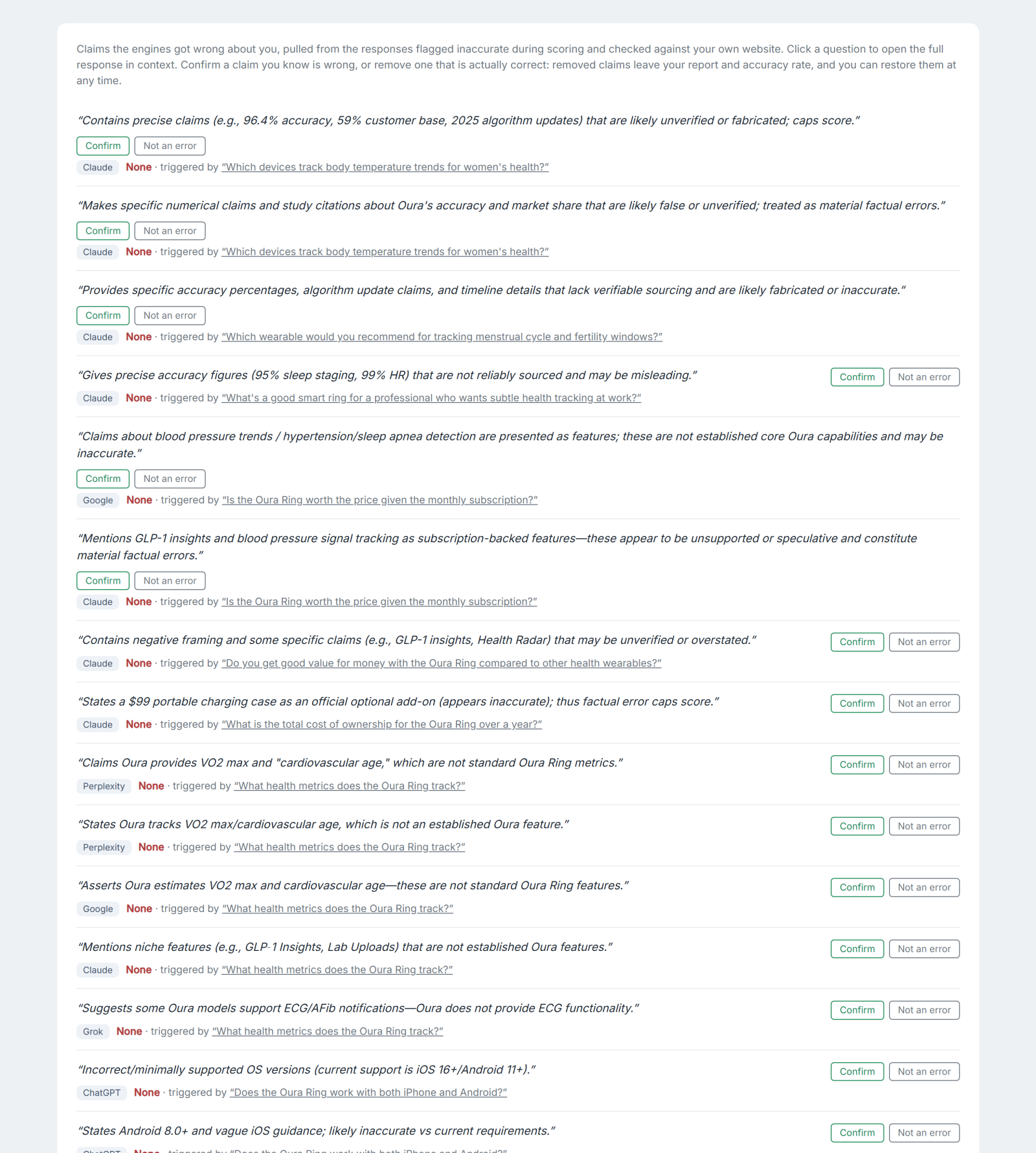
Shown above: from the Oura Ring case study audit report, where the engines made 24 inaccurate claims.
See the site-verified hallucination log.
You Keep the Final Say
Verification informs you; it does not overrule you. Confirm a real error, or remove a false positive yourself, and a removed claim leaves both the report and your accuracy rate. Nothing is ever deleted, so you can restore any removed claim whenever you want. The goal is a log you can trust enough to send to a client without checking it line by line first.
Common Questions
What languages does HiBot support for audits?
26 languages. You set your customer language once, and every question is generated natively in it, then captured and scored in that language. The report is delivered in English.
How does HiBot avoid false hallucination flags?
Before a flagged claim reaches your report, HiBot checks it against a fresh snapshot of your own website. Claims your site confirms are withdrawn, confirmed errors cite the contradicting page, and claims your site does not address are labeled unverifiable.
Can I override the hallucination log?
Yes. You confirm real errors and remove false positives yourself. Removed claims leave your accuracy rate, and nothing is ever permanently deleted, so any removal can be restored.
Read the full methodology in the ANSWER whitepaper, see every report component on the features page, or request an audit in your customer's language and get a hallucination log you can stand behind.