There is a certain irony in an AI visibility audit you can only read in a browser. Your business increasingly runs through AI assistants, so your audit data should be something you can just ask about, in the same assistant where you already do the rest of your thinking.
As of this month, it is. HiBot now speaks MCP, the Model Context Protocol, and it ships with two servers: a private one for your own audit data, and a free public one for our methodology and research. Here is what each does and how to connect.
What Is MCP, and Why It Matters Here
MCP is the emerging open standard for connecting AI assistants to real data and tools. An assistant that speaks MCP can pull live information from a connected source instead of guessing from its training data. Connecting HiBot over MCP means your assistant answers questions about your brand's AI visibility from your actual, current audit, not a vague recollection.
Your Real Audit Data, on Demand
Point your assistant at the private HiBot server and it can pull your delivered audits: the scores, the verbatim answers each engine gave, the hallucination log, the citations and sources, and your trends across a recurring series. Instead of opening a report and hunting for a number, you ask a question in plain language, and the assistant reads the current state and answers.
For example: "Which false claims about us are still standing after our last round of fixes?" The assistant reads the live hallucination log and tells you which claims persist and which are corrected, without you opening a single tab.
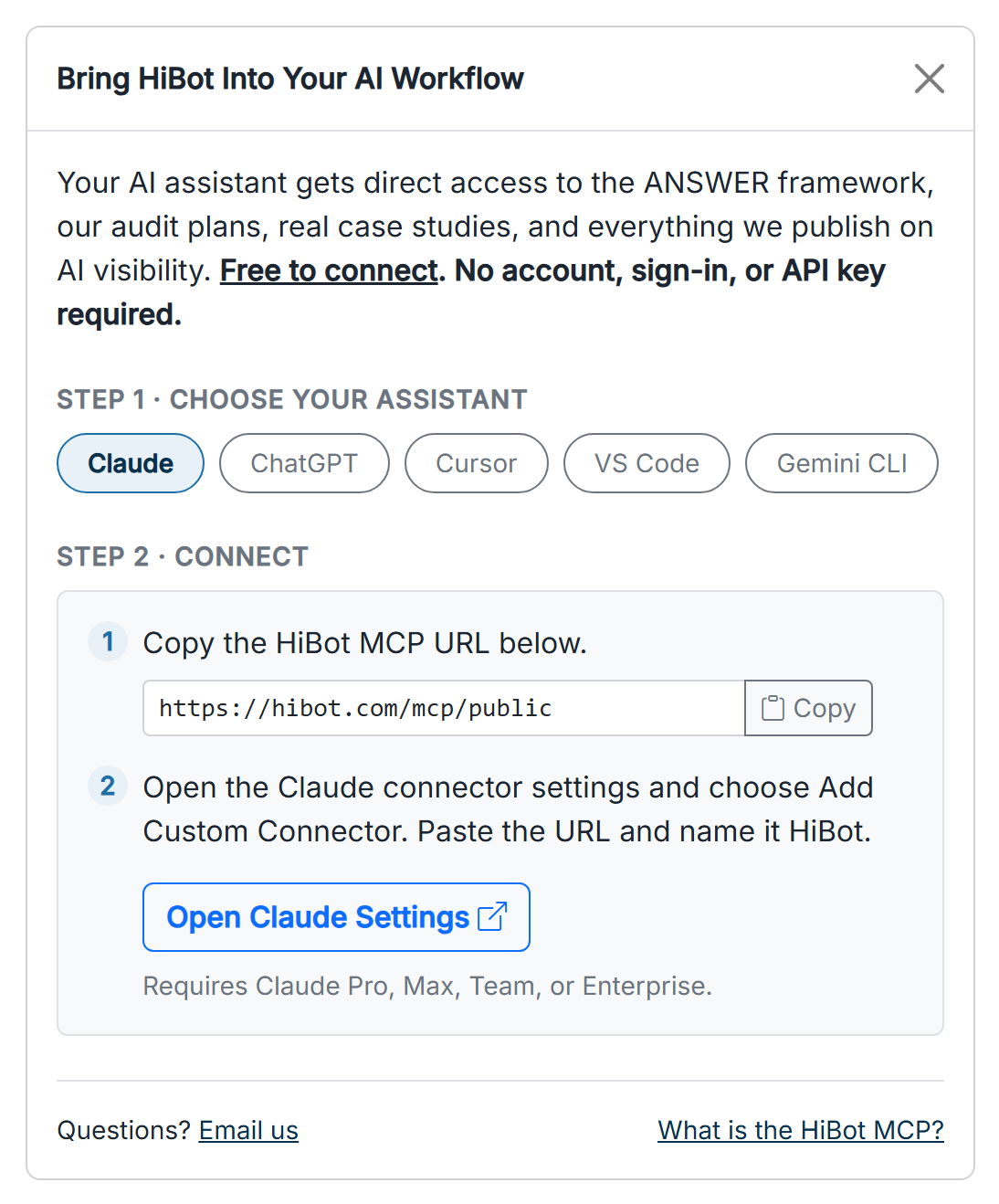
Shown above: the Connect panel on the Costco case study audit report.
See MCP for AI assistants on the features page.
Record Progress Without Leaving Your Assistant
It goes one step further than reading. Your assistant can also record progress, marking a recommendation in progress or complete as your team works through the plan. The report stays your source of truth, and your assistant becomes a way to both read it and update it in plain language, so the tracked recommendations and roadmap stay current with the actual work.
API Keys You Control
Access to the private server runs on API keys you mint, label, and revoke yourself from your account, and each key sees only your own audits. Create one for a specific tool, name it so you know what it is for, and revoke it the moment you no longer need it. It is your data, on your terms, with no standing access you did not grant.
A Free Public Server, No Account Needed
Alongside the private server, HiBot runs a free public one. Any AI assistant can connect to it, with no account and no key, to draw on our published methodology and research, and to generate the AI-visibility questions customers ask about any brand. Point it at a website and it returns about ten questions across the six ANSWER categories, the same shape our audits use. If you want to see how AI visibility is measured, or the questions your own customers ask AI, before you ever run an audit, you can do it from inside your own assistant.
How to Connect
Setup takes a few minutes. The full steps for both the private and public servers, including where to mint an API key, are on the developers page.
Common Questions
What is the HiBot MCP server?
An MCP endpoint that lets an AI assistant read your HiBot audit data directly, including scores, verbatim engine answers, the hallucination log, citations, and trends, and update the status of recommendations. There is also a free public server for HiBot's methodology and research, plus a generator that returns the AI-visibility questions customers ask about any brand.
Which assistants can connect?
Any AI assistant or client that supports the Model Context Protocol. The public server needs no account; the private server uses an API key you generate in your account.
Is my audit data secure over MCP?
Yes. The private server is reachable only with an API key you mint and can revoke at any time, and each key is scoped to your own account's audits.
Ready to connect? The setup steps for both servers are on the developers page. To get audit data worth querying, browse the features page and request an audit first.